Web portal · App · Smartboard

Pulse Solution
Processes

Pulse Solution
Processes

PULSE connects people, information, and processes in one software.

Solution 01 · Communication

One message. Everyone reached.

One message. Everyone reached.

From publication to documented acknowledgment — one route instead of word of mouth, notice boards and private messengers. Visible, binding and traceable.

01

Write the post in the web portal

02

Targeted at locations, teams and roles

03

Push in the app, displayed on the Smartboard

04

Confirm with Read & Sign

05

Read status in the report

  • 01

    Write the post in the web portal

  • 02

    Targeted at locations, teams and roles

  • 03

    Push in the app, displayed on the Smartboard

  • 04

    Confirm with Read & Sign

  • 05

    Read status in the report

Image
Image

Module

Newsfeed

The social intranet for strong internal communication.

Share posts, documents, polls and updates across teams and locations. Comments, notifications, read receipts and scheduling keep internal communication clear, organized and easy to follow.

Share posts, docs, polls and updates across teams and locations. Comments, notifications, read receipts and scheduling keep internal communication clear, organized and easy to follow.

Module

Doc-Chat

Chat, audio and video — internal and external.

Connect colleagues and external contacts through private or group chats. Share images and documents, start audio or video calls, and communicate securely through PULSE Meet.

Connect colleagues and external contacts through private or group chats. Share images and documents, start audio or video calls, and communicate securely through PULSE Meet.


Module

Social Chat

Every customer channel. One team inbox.

Bring WhatsApp, Instagram, Facebook, Telegram and website chat into one shared inbox. Manage conversations, assign ownership and use optional AI to answer recurring customer questions.

WhatsApp, Instagram, Facebook, Telegram and website chat into one shared inbox. Manage conversations, assign ownership and use optional AI to answer recurring customer questions.

What does poor communication cost you today?

Run the numbers on your coordination time and your team transparently and traceably.

Solution 02 · People & planning

Who is here - and who can do what?

Who is here - and who can do what?

Once everyone is informed, the next question follows: who works when, with which qualification, at which location. In PULSE that is not an Excel file in three versions but a plan that already knows availability, absences and minimum staffing.

Image
Image

Module · PEP

Module · PEP

Agentic AI scheduling that thinks ahead.

Agentic AI scheduling that thinks ahead.

PEP builds suitable rosters from demand, availability, qualifications, time accounts and individual preferences. The planning simulator tests options and their effects before you publish.

PEP builds suitable rosters from demand, availability, qualifications, time accounts and individual preferences. The planning simulator tests options and their effects before you publish.

PEP builds suitable rosters from demand, availability, qualifications, time accounts and individual preferences. The planning simulator tests options and their effects before you publish.

Planning by location, role and qualification

Holiday, sickness and minimum staffing under control

Annual view and digital shift swaps

Fewer follow-up questions, more overview for management

Service Image

Why this is more than three modules

PEOPLE knows the person. PEP uses that information. TIME writes back what actually happened.

PEOPLE knows the person. PEP uses that information. TIME writes back what actually happened.

TASKS+ draws on the same data: tasks take availability, absences and stand-ins into account.

Provides

Fast Delivery

Fast Turnaround Edited and delivered in 24–48 hours, every time

Uses

PEP

Who may take which shift, where staffing is short, which option keeps the plan stable.

Confirms

TIME

Clocked times, breaks and corrections flow back into the time account and reporting.

WHAT THE FILE HOLDS

  • Master data & contracts

    including contract events

  • Qualifications

    with expiry dates, relevant to planning

  • Time & holiday accounts

    Target, actual, bookable holiday

  • Absences

    Sickness, leave, requests

  • Permissions

    role-based down to field level

  • AI reports

    Staff costs, overtime, absences

  • Master data & contracts

    text

  • Qualifications

    text

  • Time & holiday accounts

    text

  • Absences

    text

  • Permissions

    text

  • AI reports

    text

  • Only you control Assets

    text

  • Master data & contracts

    text

  • Qualifications

    text

  • Time & holiday accounts

    text

  • Absences

    text

  • Permissions

    text

  • AI reports

    text

These are exactly the values PEP uses for planning with no second list.

Module · People

The AI-assisted personnel file for better decisions.

A digital personnel file connects contracts, qualifications, time, holiday and absence accounts with no broken handovers. Configurable AI reports evaluate staff costs, overtime, absences and contract events automatically and create a solid basis for personnel decisions.

Module · TIME

Module · TIME

Record working time without turning it into an extra process.

Record working time without turning it into an extra process.

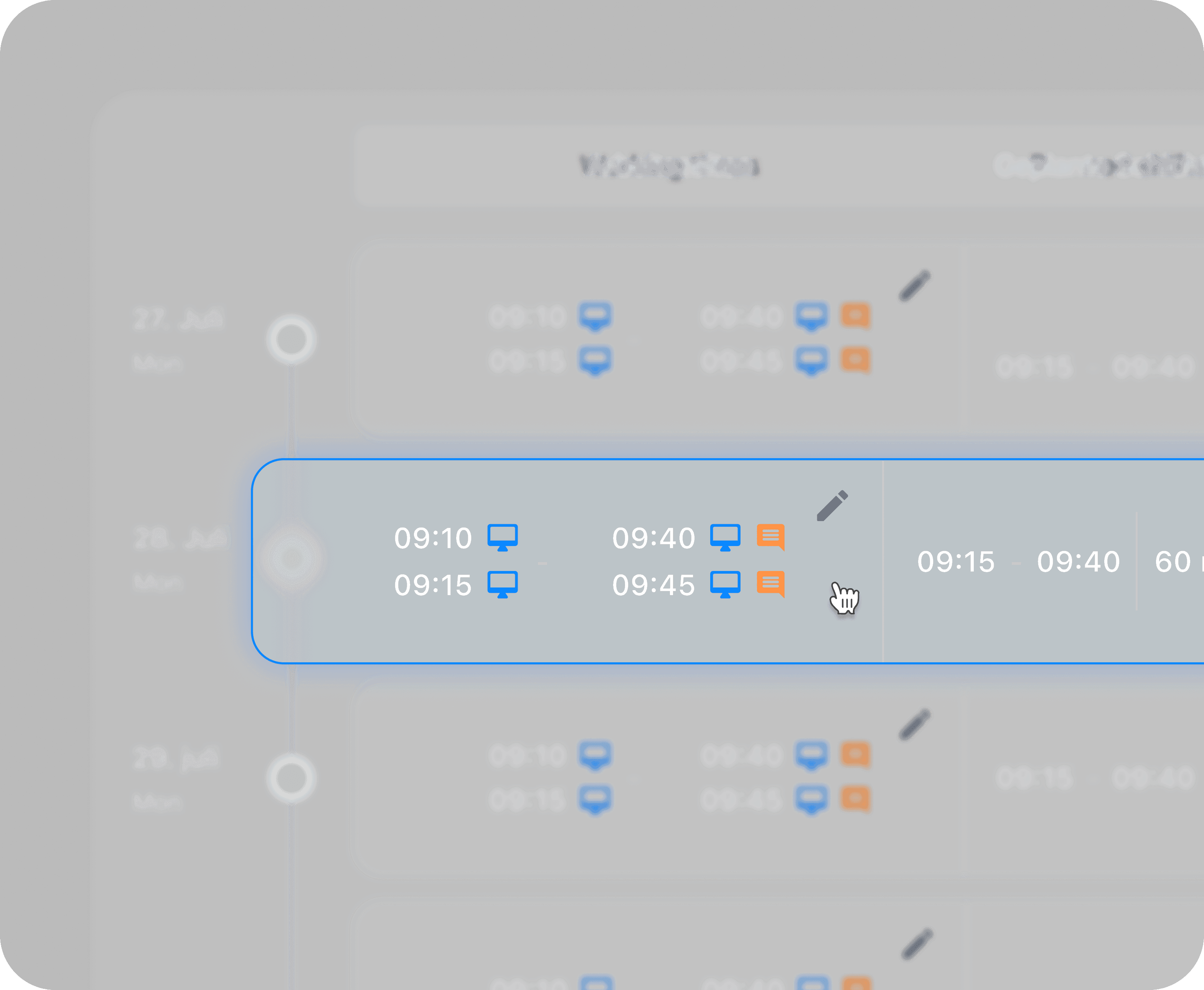
People clock in where the shift starts: on the Smartboard, in the web portal or on mobile. Working hours, breaks, absences and corrections are documented transparently.

People clock in where the shift starts: on the Smartboard, in the web portal or on mobile. Working hours, breaks, absences and corrections are documented transparently.

People clock in where the shift starts: on the Smartboard, in the web portal or on mobile. Working hours, breaks, absences and corrections are documented transparently.

Clock in and out on the Smartboard, on the web and on mobile

Directly connected to roster and time account

Rules for breaks, tolerances and rounding

Spot deviations early instead of at month end
Image

Module · Calendar+

Module · Calendar+

One calendar for teams, locations and processes.

One calendar for teams, locations and processes.

Calendar+ brings personal and shared appointments together in flexible views. Invitations, recurring series, sharing, filters and external calendars meet appointments from Smart Booking, PULSE Meet and PULSE Mail. Availability and operational planning become visible side by side.

How many hours does your planning cost today?

Planning effort, follow-up questions and corrections can be calculated with your roles, locations and weekly hours.

Solution 03 · Tasks & processes

Clear who does what and by when.

Clear who does what and by when.

The roster says who is here. TASKS+ says what has to happen today — with ownership, a deadline and a status instead of a note stuck to the monitor. Even when the person responsible is off sick.

Service Image
Service Image

01

Create once

Create once

The evening check as a recurring task: location, area, deadline with time, priority, subtasks and attachments. After that it creates itself.

The evening check as a recurring task: location, area, deadline with time, priority, subtasks and attachments. After that it creates itself.


02

Reach the right person

Ownership instead of word of mouth: the task appears on the Smartboard and in the app — if someone is away, the stand-in from the roster takes over.

03

Close with proof

Close with proof

Done, not done or commented — with an attachment as evidence. Management sees the status across locations without asking.

Module · TASKS+

Record working time without turning it into an extra process.

Record working time without turning it into an extra process.

Manage tasks — directly connected to scheduling.

Manage tasks — directly connected to scheduling.

Manage tasks — directly connected to scheduling.

What TASKS+ takes from the plan

Availability — no task lands on someone’s day off

Absences — holiday and sickness are known

Stand-ins — the task still gets done

Locations and areas — processes comparable across branches

How many tasks run on word of mouth today? Calculate the potential See the process live

Solution 04 · Knowledge, documents & records

Knowledge, documents & records

Knowledge that is not just filed away
but arrives in daily work.

Knowledge that is not just filed away but arrives in daily work.

Knowledge that is not just filed away
but arrives in daily work.

A document in a folder does not change behavior. In PULSE the same content follows one path: file, approve, answer, train, prove — without anyone entering it three times.
01 · OFFICE CLOUD

File

Documents are created, edited together and shared deliberately.

02 · QMS+

Approve

The document becomes a controlled, versioned requirement.

03 · FOCUS+

Train

The requirement becomes a course with an assessment.

04 · BRAIN

Answer

Approved knowledge becomes queryable with sources cited.

05 · PULSE MEET

Prove

Acknowledgment and completion are docum-ented and reportable.

  • 01 · OFFICE CLOUD

    File

    Documents are created, edited together and shared deliberately.

  • 02 · QMS+

    Approve

    The document becomes a controlled, versioned requirement.

  • 03 · FOCUS+

    Train

    The requirement becomes a course with an assessment.

  • 04 · BRAIN

    Answer

    Approved knowledge becomes queryable with sources cited.

  • 05 · PULSE MEET

    Prove

    Acknowledgment and completion are docum-ented and reportable.

Modules · Office Cloud

Create documents, share them and bring them into processes.

Cloud storage, office tools and document management in one: Writer, Calc, Present and Draw, real-time collaboration, full-text search via OCR and versioning. Access is not a link sent to everyone but granted by location, role, group and qualification.

Read, write and delete permissions per person

Access by qualification — not by mailing list

Office Agent, PDF comparison and version history

No additional Microsoft or Google license required

Module · QMS+

Take your existing quality management further, digitally.

On request, QMS+ takes over your existing QM and migrates the content into a structured digital environment. The QM manual, processes, documents, responsibilities, versions and approvals all stay traceable.

Module · Focus+

Organize learning. Share knowledge internally and externally.

Mandatory training, onboarding and your own courses with media, interactive assessments, reminders and reports. Optional time credits connect learning directly to the time account — selected courses can be shared with external partners.

Knowledge layer · Brain coming soon

Your organization knows more. Soon it will also answer.

A separate Brain for every topic, built from documents, synchronized Office Cloud folders and selected websites. The team asks by text or voice and receives traceable answers with sources — released to the right people, teams and locations.

Answers with sources cited instead of invention

True to permissions — only what is approved is visible

Sources from QMS+ and Office Cloud, not from the internet

The basis for PULSE Voice on the phone

  • 01 Hold the conversation

  • 02 Summary and decisions

  • 03 Next steps as a task

  • 04 Document in Office Cloud

Module · PULSE Meet coming soon

A meeting shouldn’t end when you hang up.

Video and audio meetings with a built-in AI note taker that documents conversations on request, summarizes them in a structured way and records decisions and next steps. Configurable custom workflows carry the results straight into follow-up processes.

How long does your team spend looking for the current version? Calculate the potential → See the knowledge chain live

How long does your team spend looking for the current version? Calculate the potential → See the knowledge chain live

Solution 05 · Appointments & collaboration

Appointments that know your plan..

Appointments that
know your plan..

Appointments that know your plan..

Online booking is easy. The hard question sits behind it: is someone here who is allowed to do this, and is the room free? Smart Booking checks both against the roster before the appointment is confirmed.

Module · Smart Booking

From online booking to a tailored process.

From online booking to a tailored process.

The booking portal and customer portal connect with configurable digital workflows. Through the link to room and shift planning in PEP, availability, qualifications and resources come together into a largely automated process.

Read, write and delete permissions per person

Booking around the clock through your website

Reminders instead of phone tag

01

Choose a service

Customers book through your own booking page — around the clock.

01

Choose a service

Customers book through your own booking page — around the clock.

02

Check availability

PEP supplies roster, qualification and room — only possible slots appear.

02

Check availability

PEP supplies roster, qualification and room — only possible slots appear.

03

Assign the appointment

The appointment lands in Calendar+ with the right person at the right location.

03

Assign the appointment

The appointment lands in Calendar+ with the right person at the right location.

04

Prepare and follow up

Digital workflows for history taking, information, consent and follow-up.

04

Prepare and follow up

Digital workflows for history taking, information, consent and follow-up.

Module · Calendar+

Booked appointments are not an island — they appear where your team is already looking.

Private, shared and team calendars sit in one view, each switchable on its own. Bookings from Smart Booking can be shown or hidden separately and external calendars can be included. Planning and day-to-day work see the same appointments.

Private, shared and team calendars sit in one view, each switchable on its own. Bookings from Smart Booking can be shown or hidden separately and external calendars can be included. Planning and day-to-day work see the same appointments.

Private, shared and team calendars sit in one view, each switchable on its own. Bookings from Smart Booking can be shown or hidden separately and external calendars can be included. Planning and day-to-day work see the same appointments.

Service Image

Solution 06 · Delivery service & operations

From order to delivery.
One continuous process.

Dispatch at the desk, execution on the road, transparency for the customer. Three views of the same order — instead of paper slips and callbacks.

Dashboard
Dashboard
Dashboard

Hybrid view: list and map

AI route optimization and driver assignment

Status per route: urgent, in progress, released

Dispatch web portal

Dispatch web portal

AI optimized routes. Live tracking for your customers.

AI optimized routes. Live tracking for your customers.

Orders, pick-up points, recurring deliveries and drivers come together in one process. The hybrid view shows list and map at the same time — from the unassigned stop to the success rate.

Orders, pick-up points, recurring deliveries and drivers come together in one process. The hybrid view shows list and map at the same time — from the unassigned stop to the success rate.

Orders, pick-up points, recurring deliveries and drivers come together in one process. The hybrid view shows list and map at the same time — from the unassigned stop to the success rate.

Execution · driver app

On the road every movement counts.

The driver app guides through the route: stops in order, delivery notes, start the route, report a delay, complete the delivery. What the driver confirms, dispatch sees immediately.

The driver app guides through the route: stops in order, delivery notes, start the route, report a delay, complete the delivery. What the driver confirms, dispatch sees immediately.

The driver app guides through the route: stops in order, delivery notes, start the route, report a delay, complete the delivery. What the driver confirms, dispatch sees immediately.

Vector
  • BG Image
  • BG Image
  • BG Image
  • BG Image
  • BG Image
  • BG Image
  • BG Image
  • Icon

    Clean workspace

  • BG Image
  • BG Image
  • Icon

    Track water

  • BG Image
  • BG Image
  • BG Image

Module · CoolCheck

Module · CoolCheck

Environmental monitoring that keeps up when it matters.

Environmental monitoring that keeps up when it matters.

Temperature and humidity from the sales floor through storage and refrigerators for transport and production. Alarms across locations, sensor status, calibrations and reports create audit-proof documentation.

Temperature and humidity from the sales floor through storage and refrigerators for transport and production. Alarms across locations, sensor status, calibrations and reports create audit-proof documentation.

Temperature and humidity from the sales floor through storage and refrigerators for transport and production. Alarms across locations, sensor status, calibrations and reports create audit-proof documentation.

Image

Module · Motion

Relevant content on every display.

Posters, offers, notices and job ads are created in the browser and run on every screen at every location. Media, planograms, playlists and schedules are managed centrally — playback reports show what ran when and where.

Posters, offers, notices and job ads are created in the browser and run on every screen at every location. Media, planograms, playlists and schedules are managed centrally — playback reports show what ran when and where.

Posters, offers, notices and job ads are created in the browser and run on every screen at every location. Media, planograms, playlists and schedules are managed centrally — playback reports show what ran when and where.

  • Crimson Wine Website
  • Sibar Website
  • Photon Website
  • VisaFlow Mobile Mockup
  • Astralis Website
  • Nolary Website

Let's talk

One login. Everything included.

You don’t need another tool. You need a system that brings the existing isolated tools together — and that your team actually uses. Book a meeting →

60-minute live demo · sandbox for 14 days · onboarding in six weeks